

Search “sports facility scheduling software” and you’ll find tools built for people who aren’t you.
The first page is full of products built for parks and recreation departments, municipal complexes, and league directors managing field permits and court rentals. If you run a private training facility, basketball, baseball, soccer, tennis, any sport where you’re coaching athletes individually or in small groups, those tools solve problems you don’t have.
One facility owner described it well: “I spent two days testing three platforms that all came up when I searched for scheduling software. Every single one was built for someone who manages courts and leagues. I just needed athletes to book sessions with my coaches without texting me first.”
This guide covers what sports facility scheduling software actually looks like for private coaching businesses, which features matter most, and how to build a scheduling setup that doesn’t break as you grow.
The Two Types of Sports Facility Scheduling
“Sports facility scheduling” means something completely different depending on who’s using it, and the mismatch between what shows up in search and what private facilities actually need is real.
Type 1: Space and resource scheduling is built for facilities that manage courts, fields, lanes, and rooms. City recreation centers booking tennis courts by the hour. Aquatic centers managing lane assignments. Multi-sport complexes handling field permits for 40 youth leagues simultaneously. The core function: which space is occupied, by whom, at what time.
Type 2: Session and coach scheduling is built for private coaching businesses managing athletes and their training. Basketball trainers managing 60 athletes across three group levels. Baseball facilities running 1-on-1 pitching sessions alongside hitting clinics. Soccer academies booking assessments and development sessions. The core function: which athlete is training with which coach, using which credits, at what time.
Private training facilities need Type 2. Almost every tool ranking for “sports facility scheduling software” is Type 1.
The mismatch is a practical problem. Type 1 tools don’t understand athletes, session packs, coach availability, or credit-based booking. They understand reservations, permits, and square footage. Trying to run a private coaching business on a space management platform is like scheduling your team practices using hotel booking software.
What Private Facility Scheduling Actually Needs
The scheduling system built for private coaching facilities has five capabilities that generic facility tools skip entirely.
1. Self-Service Athlete Booking
When athletes can’t book without texting you first, you become the bottleneck. Every request takes two to five minutes of back-and-forth. Multiply that by 60 athletes across a week and you’re spending hours on logistics that should happen automatically.
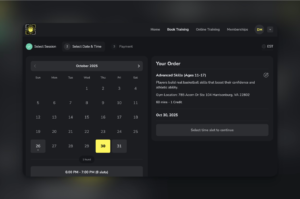
The right setup: you define when you’re available, create session types with specific rules, 60-minute 1-on-1 sessions, groups of up to four, assessments by appointment only, and athletes book directly from a portal. You set the rules once. They book themselves. Your calendar fills while you’re on the floor coaching.
Look for real-time availability display, minimum advance booking windows (so nobody books a session 10 minutes from now), maximum booking horizons (athletes can book up to four weeks out), and automatic confirmation messages when a booking is created.
2. Credit-Based Booking Integration
This is the feature that separates coaching-specific scheduling from generic appointment tools, and it doesn’t work unless scheduling and payments are built together.
Instead of paying per session at booking time, athletes purchase credit packs upfront, five sessions, ten sessions, twenty sessions, and spend credits when they book. When they select a Tuesday 4pm 1-on-1, one credit is deducted automatically. They’ve already paid. You’ve already been compensated.
The scheduling and payment connection is what makes this possible. A booking system that doesn’t know about credit balances can’t do it. A payment processor that doesn’t know about scheduling rules can’t do it. When they’re integrated in the same platform, the whole process runs automatically.
Tyler coaches basketball at a private facility in Memphis. Before implementing credit-based scheduling, his no-show rate sat around 22%, roughly one in five sessions going empty. Within 45 days of switching, that number dropped to under 7%. “The athletes who weren’t showing up were the ones where canceling cost them nothing,” he said. “Once they’d already paid for a 10-pack, they showed up.”
See how credit-based scheduling works, the mechanics are simpler than most facility owners expect.
3. Capacity Controls for Group Sessions
One-on-one sessions are simple. Group sessions are where scheduling gets complicated, and where most generic tools fail.
A properly configured system lets you create group session types with hard capacity limits (max four, max eight, max twelve athletes), enforce minimum booking thresholds before a session confirms, and automatically waitlist when a group fills. You can run a four-person shooting clinic Saturday morning alongside three 1-on-1 sessions without managing any of it manually.
Without these controls, you either stay in 1-on-1 only, leaving significant per-hour revenue on the table, or manage group sizes yourself through DMs. Neither scales.
4. Coach-Specific Availability
With a single coach, scheduling is simple. Two coaches gets complicated. Three or more coaches, and an unmanaged scheduling system starts breaking down fast.
Each coach needs their own availability blocks, session types, and booking calendar, while athletes experience a unified interface. If Coach A is available 6-9pm on weekdays and Coach B works mornings only, athletes need to see each coach’s actual availability, not a combined calendar that shows times when neither is actually free.
Managing availability for multiple coaches also means preventing double-booking across shared spaces. If two coaches share one court, the scheduling system needs to know that and block the conflict automatically. The alternative plays out every week in facilities using separate Google Calendars: two coaches book the same court at overlapping times, both athletes show up Saturday morning, and someone handles an avoidable situation that damages your professional reputation.
5. Recurring Session Management
Most serious training relationships aren’t one-off bookings. Athletes train on a recurring schedule, Tuesday and Thursday evenings, every Saturday morning, weekly 1-on-1 sessions throughout the season.
A scheduling system that handles only individual bookings forces athletes to re-book every session manually. That’s friction. Friction creates gaps in attendance. Gaps give athletes a reason to drift toward the next option.
Recurring booking lets athletes set a consistent schedule once. Credits are deducted each week automatically. Their spot is held. You have predictable attendance and predictable revenue, without anyone having to think about it week to week.
The No-Show Math (And Why Scheduling Software Fixes It)
No-shows are a scheduling problem before they’re a behavior problem. The scheduling system you use either creates the conditions for them or eliminates them structurally.
Here’s the math. A private training facility running 50 sessions per week at a $40 average generates $2,000 in weekly revenue at full attendance. At a 20% no-show rate, common with manual booking and pay-at-the-door setups, that’s ten empty sessions per week. Four hundred dollars in lost revenue. Over the course of a year: $20,800.
Credit-based booking addresses this structurally. Athletes who’ve bought a 10-pack and have money committed show up because not showing up costs them a credit they’ve already purchased. Facilities that make the switch consistently report no-show rates dropping from 20-25% to under 10% within the first 60 days.
The other piece is automated reminders. A confirmation message when booking is created, a reminder 24 hours before the session, these catch the forgetful athlete who would have been a no-show not because they didn’t want to come, but because Tuesday at 5pm slipped off their radar. Reminders don’t replace skin-in-the-game, but they eliminate the avoidable no-shows that happen simply from forgetting.
The two combined, credit-based commitment plus automated reminders, cut most facilities’ no-show rate in half within the first month.
Building a Scheduling Setup That Scales
The right architecture depends on where you are now and where you’re heading.
Solo coach, under 30 athletes: Simple setup. One coach, basic availability blocks, one or two session types (1-on-1 and small group), credit-based booking. Prioritize athlete self-service booking and automatic payment collection. Everything else is secondary at this stage.
Two to five coaches, 30-100 athletes: Multi-coach availability becomes critical. You need separate coaching calendars with a shared facility view, group session capacity controls for the multi-athlete sessions you’re running daily, and automations handling confirmations and reminders. Manual communication at this scale eats hours you don’t have.
Five-plus coaches, 100+ athletes: The platform’s automation layer matters more than any individual feature. Recurring bookings for consistent athletes. Low-credit notifications that trigger repurchase prompts automatically. Staff permissions controlling what each coach can see and do. A scheduling system that handles this volume without daily manual management is what separates facilities that scale from those that plateau at 60-70 athletes.
The scheduling setup that works at 25 athletes often breaks at 75. One reason: the tool you started with didn’t have the infrastructure for multi-coach scheduling, group capacity, or automations. Another: your athletes have been trained on a specific booking flow and migrating them mid-growth is genuinely disruptive. Building on the right foundation, one that can handle where you’re going, not just where you are, saves the painful migration later.
Choosing Sports Facility Scheduling Software for Private Coaching
A few questions to narrow down the options:
Is it built for private coaching or adapted from something else? Tools designed for wellness studios (yoga, pilates, massage) use wellness-industry terminology and workflows that don’t map to sports coaching. Generic appointment software doesn’t understand credit packs. Look for platforms that use words like athletes, sessions, credits, and schedulers rather than clients, appointments, and service types.
Does scheduling connect to payments natively? If you have to use a separate payment system alongside your scheduling system, credit-based booking won’t work. The connection has to be built in, not stitched together with Zapier.
Can it handle both 1-on-1 and group scheduling? Your needs will include both. Make sure capacity controls, per-session credit costs, and group booking rules are supported out of the box.
What does the athlete experience look like? The athlete portal is what your athletes actually interact with. It should show their credit balance, let them book available sessions, and give them access to their training history, without you being in the middle of every transaction.
For private coaching businesses that want one platform handling scheduling, payments, athlete management, and communications, see how CoachIQ’s scheduling system works and what it costs.
Frequently Asked Questions
What’s the difference between sports facility scheduling software and booking software for private coaches?
Sports facility scheduling software typically refers to tools for managing physical spaces, courts, fields, and rooms. Booking software for private coaches focuses on session management, athlete relationships, and credit-based payment systems. For private training facilities, you need the latter. Most tools that rank for “sports facility scheduling” are built for the former.
Can scheduling software reduce no-shows at my training facility?
Yes, structurally. Credit-based booking requires athletes to purchase session credits before they can book. Because they’ve already paid, no-shows drop significantly, typically from 20-25% to under 10% within 60 days. Automated 24-hour reminders eliminate the additional no-shows that happen simply from forgetting.
How do I handle scheduling for multiple coaches at my facility?
Each coach gets their own availability profile and session types within a shared platform. The scheduling system prevents double-booking across shared courts or spaces and gives you a facility-wide view of all bookings while coaches manage their own calendars. Staff permissions control what each coach can see.
Do I need separate scheduling and payment software for my training facility?
No, and combining them matters more than most facility owners realize. When scheduling and payments are integrated, credit deductions happen automatically at booking time, reminders and confirmations fire based on booking events, and your revenue and attendance data live in one place. Separate tools force manual reconciliation and break the credit-based booking model.
How long does it take to set up scheduling software for a training facility?
Most private coaching facilities are live with basic scheduling and payments within a day. Full setup, multi-coach availability, recurring booking rules, automated reminders, athlete portal, typically takes three to five days. Athletes adapt to the new booking system within one to two weeks, particularly when you explain that 24/7 self-service booking is available to them.
