
Last updated: October 14, 2026
Quick answer: The right baseball lesson scheduling software depends on how your facility makes money. Coach-led facilities should prioritize lesson packs, coach availability, athlete self-booking, and payments. Rental-heavy facilities need deeper cage and resource controls. CoachIQ, Swift, Upper Hand, Baseline, and Mindbody can all cover parts of the job, but they approach the workflow differently.
It is 8:30 p.m. A parent wants eight hitting lessons before tryouts. Another is asking when the bullpen opens next week. One coach changed their availability, and the shared calendar still shows yesterday's version.
That is the problem baseball lesson scheduling software should solve. The right system gives parents a clear way to book, protects coach and cage availability, collects payment, and keeps the facility calendar accurate without a night of text messages.
This guide compares five common baseball coaching software options for coaches and the facilities they run. Pricing and product details were checked against public vendor pages on July 21, 2026. Always confirm the final quote and processing terms before signing a contract.
What Baseball Lesson Scheduling Software Actually Needs to Do
Baseball facilities usually manage two connected workflows:
- Coach-athlete sessions: A parent buys a lesson pack, chooses a hitting or pitching coach, and books an available time.
- Facility resources: A lesson or rental uses a cage, mound, turf area, or other limited space that cannot be double-booked.
Some platforms begin with the coach-athlete relationship and add facility scheduling around it. Others begin with resource management and add lessons, programs, and payments. Neither approach is automatically better. The better fit depends on whether coaching sessions or space rentals drive your operation.
Use one purchase-to-booking workflow in every demo:
- A parent buys a lesson pack for an athlete.
- The athlete's account shows the eligible Credits.
- The parent selects an available Session.
- The booking reserves the coach and any required cage or mound.
- The staff calendar shows the booking, and the parent receives the configured confirmation.
Ask each vendor to demonstrate these steps using your facility's rules.
If a platform handles only the calendar step, your staff still has to connect payments, credits, messages, and athlete records by hand.
5 Baseball Lesson Scheduling Software Options Compared
| Platform | Best workflow fit | Packages or credits | Cage/resource tools | Public pricing checked July 21, 2026 |
|---|---|---|---|---|
| CoachIQ | Coach-athlete lessons, programs, and facility operations in one platform | Yes | Supports baseball facility scheduling; demo complex shared-resource rules | Varies; monthly subscription with no annual contract |
| Swift | Baseball and softball facilities managing lessons, cage rentals, memberships, and retail | Yes | Cage rentals and facility scheduling | Contact sales |
| Upper Hand | Facilities balancing programs, staff, retail, and detailed resource management | Yes | Facility and resource management on Grow and Scale | $79/month Start; $199/month Grow; paid annually |
| Baseline | Facilities prioritizing a $0 base subscription and broad operations features | Yes | Facility management and auto-scheduling | Base $0/month plus $250 setup and processing fees; Plus $99/month; Pro $199/month |
| Mindbody | Facilities with a meaningful fitness or wellness crossover | Yes | Room and resource management on Accelerate | See current pricing; confirm your location, plan, and fees with sales |
7 Features Baseball Coaches and Facilities Should Compare
1. Lesson Packs and Credit-Based Booking
Baseball training businesses often sell five-, 10-, or 20-session packs. The software should let an athlete purchase a pack, hold the balance as credits, and use the right number of credits for each booking.
Check the details, not just the feature label. Can credits expire? Can one pack work across several schedulers? Can you limit a pitching package to pitching sessions?
Also ask whether subscriptions can add new credits each month. CoachIQ documents this workflow in its guide to credit-based scheduling.
2. Multi-Coach Availability
A facility calendar has to account for different schedules, specialties, and session lengths. A hitting coach may work Monday through Thursday. A pitching coach may take lessons only after 5 p.m. Another coach may run groups and private sessions on the same night.
Look for separate coach availability, staff permissions, owner-level calendar visibility, and filters that make the week readable. Test what happens when two coaches share one training space.
3. Cage, Mound, and Turf Controls
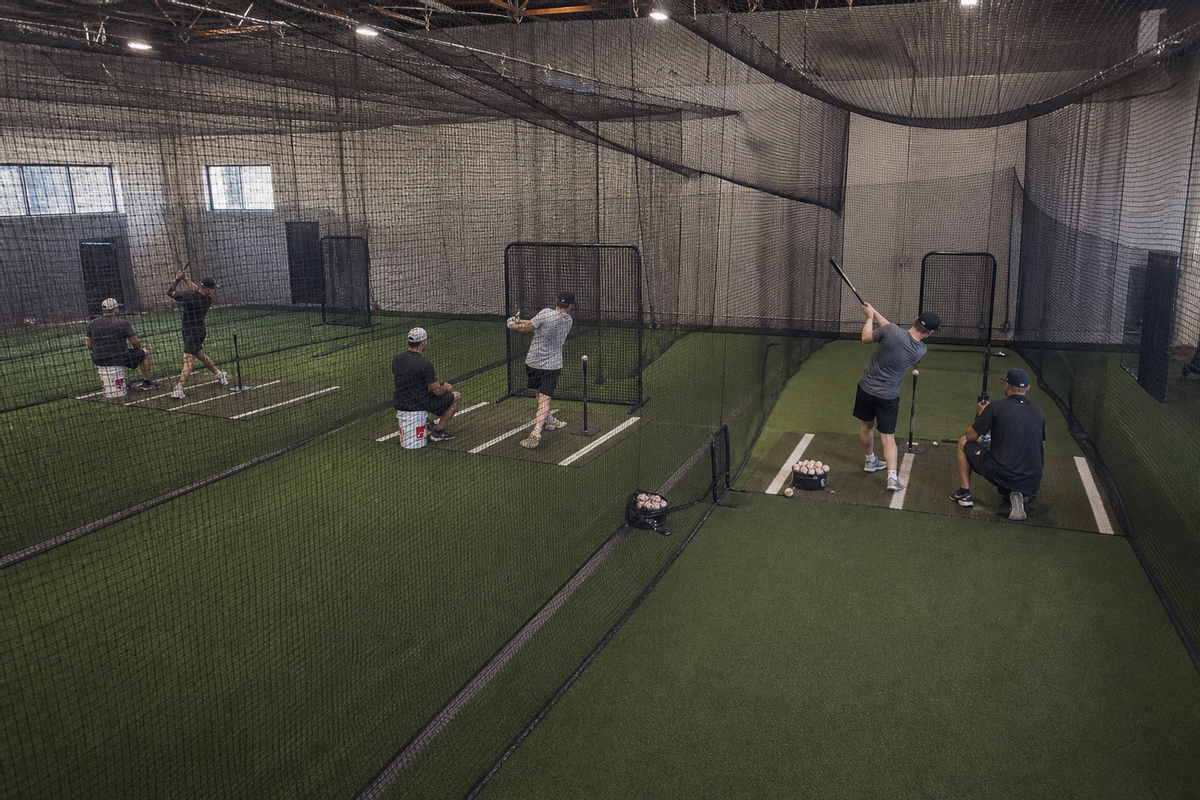
Resource scheduling is where a basic appointment tool usually breaks. Two coaches may both be available at 6 p.m., but the same cage cannot host both lessons. Good baseball training facility software has to account for people and space at the same time.
Ask each vendor to show a shared-resource conflict during the demo. Create two coaches, one cage, and overlapping availability. Then try to book both. A live test is more useful than a feature checklist because resource rules vary by plan and configuration.
4. Athlete and Parent Self-Booking
Parents should be able to see live availability, choose the right session, understand the price or credit cost, and book from a phone. The booking experience should also show cancellation rules before checkout. Test hitting lesson booking and pitching lesson scheduling as separate services because they may use different coaches, spaces, and rules.
For coach-led facilities, this is more than convenience. Self-booking keeps the calendar current and gives staff one source of truth instead of a mix of DMs, texts, and handwritten changes.
5. Payments and True Processing Cost
Compare the monthly software charge and payment fees together. A low subscription can become expensive when every transaction carries a higher percentage or fixed fee. A higher subscription may include tools you currently pay for separately.
Write down your average payment size and monthly transaction count before comparing platforms. Those two numbers make fixed per-payment fees much easier to evaluate.
6. Recurring Sessions, Waitlists, and Reminders
Standing weekly lessons are common in baseball development. Your system should support recurring bookings without making the coach recreate the same session every week.
Also test cancellation windows, waitlists, and reminder timing. These rules affect the athlete experience and determine how much staff work remains after launch.
7. Website and Athlete Experience
A parent should be able to move from your public website to the correct lesson without hunting for a separate booking link. Some platforms include a website builder or native booking sections. Others use widgets, redirects, or paid add-ons.
If a branded athlete experience matters, compare the web portal and mobile app separately. Confirm what is included in the quoted plan and what requires an add-on.
A Closer Look at Each Platform
CoachIQ
CoachIQ's baseball coaching software connects schedulers, credits, payments, athlete records, messaging, and a public website. Parents can book through the Athlete Portal, while facility owners manage coach availability and bookings from one platform.
The strongest fit is a coach-led facility where lessons, small groups, camps, and athlete development are the center of the business. The scheduling system also connects to Stripe-powered payments, reminders, subscriptions, and credit products.
CoachIQ pricing varies by plan. It uses a monthly subscription with no annual contract. Confirm the plan, payment terms, and any resource-specific setup during a demo.
At Elite Baseball & Softball Training in Wyoming, Michigan, the business includes assessments, memberships, team programs, and facility options. Its owner describes moving from lesson packs toward small-group memberships after reviewing the economics of packs and promotions. Read Elite's story, then test how your own packages and memberships would work in a demo.
Swift
Swift markets directly to baseball and softball facilities. Its public baseball page lists online booking, drag-and-drop scheduling, packages and credits, staff permissions, payroll, memberships, access control, branded apps, and cage rentals.
That makes Swift a relevant option when baseball-specific facility operations are the priority. It also supports multiple sports, so it should not be treated as a diamond-sports-only product.
Swift does not publish a standard price on the baseball product page. Ask sales for the total subscription, payment fees, onboarding terms, and add-on costs.
Review the official Swift baseball scheduling page before the call. Then compare the proposal with CoachIQ's Swift alternative guide.
Upper Hand
Upper Hand supports private lessons, group lessons, camps, teams, rentals, retail, staff management, and resource scheduling. Its public pricing page separates program scheduling from deeper facility tools: Start covers program scheduling and registration, while Grow adds facility and resource management, retail, and staff tools.
That structure is useful for understanding the core difference. A lesson-led operation should test the athlete, coach, credit, and repeat-booking experience. A rental-led operation should test cages, equipment, staff, and overlapping resources.
As of July 21, 2026, Upper Hand's published pricing lists Start at $79 per month and Grow at $199 per month. The monthly cost is paid annually. WebKit and Advanced Insights are listed as optional $50-per-month enhancements.
Baseline
Baseline combines scheduling, facility management, memberships, payment processing, marketing, athlete data, and a template website. Its Base plan is positioned around a $0 monthly subscription, but it includes a setup charge and per-transaction payment fees.
The Baseline pricing page lists Base at $0 per month. It also lists a $250 setup fee and card processing at 3.9% + $2.79. Plus is $99 per month, and Pro is $199 per month; both list a 12-month commitment and the same card rate.
Do the fee math with your own transactions. On a $100 domestic card payment, 3.9% + $2.79 equals $6.69. For comparison, Stripe's published standard rate for a successful domestic card transaction is 2.9% + $0.30, or $3.20 on $100. That is a processing comparison only; software fees, included services, payment types, and negotiated rates can change the total.
Mindbody
Mindbody is built around fitness, wellness, and beauty businesses. Its plans include booking, payments, reporting, website widgets, and marketplace exposure. Higher plans add room and resource management, advanced reporting, and marketing tools.
That can fit a baseball facility that also runs a substantial fitness, recovery, or wellness operation. A baseball-first facility should test whether its lesson packages, coaching terminology, athlete records, and cage workflow feel natural to staff and parents.
See the official Mindbody pricing page and confirm your location, plan, and fees with sales. Mindbody lists room and resource management under Accelerate. Confirm the plan and total cost required for your cages, rooms, or rentals. This plan distinction was rechecked October 14, 2026; other vendor checks retain their dates above.
A Practical Demo Test for a Baseball Facility
Do not let a vendor give you a tour built around generic sample data. Ask them to run this exact scenario:
Example facility: Three cages, one bullpen, four coaches, private hitting and pitching lessons, a six-week group program, 10-session packs, and occasional cage rentals.
Then ask the vendor to complete these tasks:
- Create separate availability for a hitting coach and a pitching coach.
- Connect both coaches to one shared cage.
- Sell a 10-session pack and place the credits in an athlete account.
- Book one lesson as a parent from a phone.
- Try to create a conflicting booking in the same cage.
- Reschedule the lesson and show what happens to the credit.
- Create a standing weekly booking for six weeks.
- Show the owner view, coach view, and athlete view.
- Export athlete, booking, and payment data.
- Calculate the first-year cost, including setup, processing, add-ons, and contract terms.
This test exposes workflow gaps quickly. It also gives every vendor the same problem to solve, which makes the comparison fair.
Have your cage schedule, coach availability, and one lesson pack in mind? Book a free demo to discuss how CoachIQ fits your facility's booking, Credits, and payments.
How to Choose the Right Baseball Facility Scheduling System
Start with your revenue mix. If coaching sessions and development programs drive the business, prioritize the coach-athlete workflow. If cage and turf rentals drive the business, put resource rules and utilization reporting first. If both matter, insist on seeing both in the same demo.
Next, compare the facility you expect to run 18 months from now. Count coaches, locations, schedulers, shared spaces, active athletes, and monthly payments. A system that fits today's calendar may become awkward after the next hire or location.
Finally, price the entire operating stack. Include the software subscription, card and ACH fees, website, branded app, messaging, access control, onboarding, and staff tools. The lowest headline price is not always the lowest total cost, and the platform with the most features is not automatically the best fit.
Frequently Asked Questions
What is the best baseball lesson scheduling software?
The best option matches the facility's main workflow. Coach-led facilities should prioritize credit packs, athlete self-booking, coach availability, and integrated payments. Rental-heavy facilities should prioritize cage and resource controls. CoachIQ, Swift, Upper Hand, Baseline, and Mindbody each approach that balance differently.
Can baseball scheduling software prevent cage conflicts?
Facility-focused platforms can reserve spaces or resources alongside lessons, but the exact rules vary. Ask each vendor to demonstrate two available coaches competing for one cage at the same time. Test the conflict behavior before buying.
Should a baseball facility sell lesson packs as credits?
Credits work well when athletes buy several sessions upfront and book them over time. Look for expiration controls, scheduler restrictions, recurring credit subscriptions, and clear rules for cancellations and rescheduling.
How much does baseball lesson scheduling software cost?
Pricing ranges from a $0 base subscription with setup and transaction fees to monthly subscriptions and custom plans. Compare subscription, processing, setup, add-ons, and contract length using your actual payment volume.
Does CoachIQ work for a solo baseball coach and a multi-coach facility?
Yes. CoachIQ supports solo coaches, coach-led training facilities, and multi-location operations. The same core system connects schedulers, credits, payments, athlete management, communication, programs, and a website as the business grows.
Build the Workflow Around How Your Facility Earns Revenue
Baseball lesson scheduling software should make the operating model easier to run. For most coach-led facilities, that means parents can buy packs and book, coaches can control availability, shared spaces stay organized, and payments connect to the athlete record.
CoachIQ brings those pieces together for 750+ sports coaches and training facilities. If you want to test the lesson-pack and facility workflow against your current setup, book a free CoachIQ demo.
