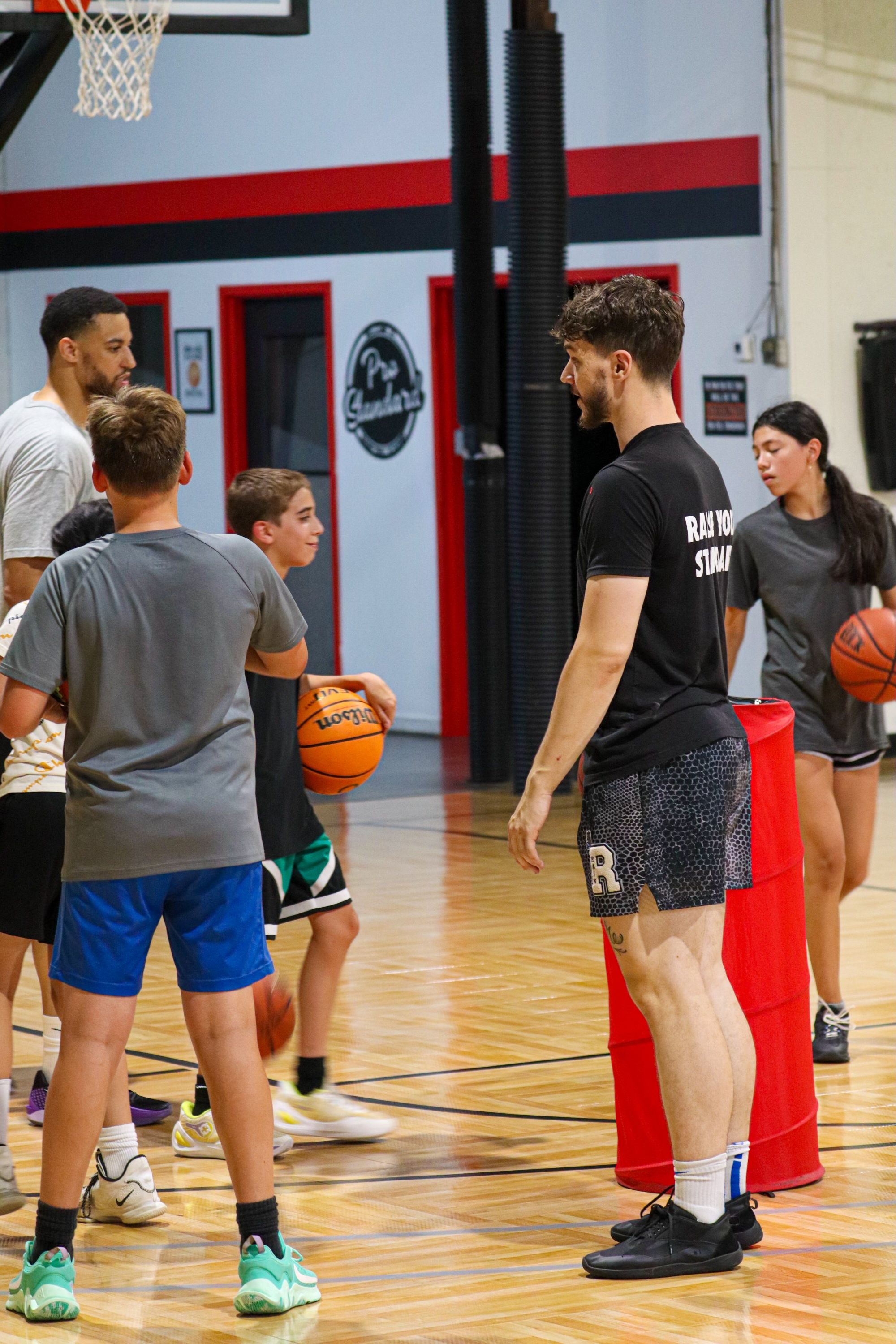
For a basketball facility built around coaching and recurring player development, CoachIQ is our recommended starting point. Compare it with Upper Hand, Swift, EZFacility, eSoft Planner, and Dash against your actual mix of skills groups, court rentals, memberships, camps, and team practices.
The difficult part is the overlap. One coach runs a group on the north half court. Another has a private Session on the south half. A team wants the full court, and a parent wants to know why a shooting membership cannot book private instruction. Your system needs to keep the space, staff, purchase, and athlete aligned.
This guide gives you a shortlist, a court-conflict demo test, and a capacity worksheet for checking whether the training you sell fits the hours you have.
Published by CoachIQ, a vendor included in this comparison. We reviewed public vendor pages and documentation on October 26, 2026. This is a documented-feature comparison, not a hands-on test of every platform. Recommendations reflect our judgment about workflow fit. Confirm configured behavior, plan inclusions, and fees in a demonstration and written proposal.
Basketball facility software at a glance
Swipe sideways to compare all columns →
| Platform | Evaluate it for | Pricing context | The first thing to demonstrate |
|---|---|---|---|
| CoachIQ | Coaching, athlete relationships, training purchases, and development between visits | Varies; confirm package and payment fees | A member buys training, books an eligible Session, and receives their next training assignment |
| Upper Hand | Programs, resources, retail, and staff administration | Start $79/month; Grow $199/month, paid annually. Resource management is listed in Grow. | One calendar connecting a group, a court reservation, and staff coverage |
| Swift | Online bookings, facility spaces, memberships, and staff tools | Request a current complete quote; base subscription not verified here | A full-court rental blocking both half-court offers |
| EZFacility | Court rentals, lessons, leagues, and front-desk operations | Request configuration-specific pricing | League games and training sharing court availability |
| eSoft Planner | Modular court rentals, lessons, classes, teams, and leagues | Advertises a $39/month starting price; modules and setup affect total | The exact modules needed for your court and program mix |
| Dash | Split courts, recurring programs, registrations, and league activity | Request a quote; no subscription amount verified on reviewed pages | A court layout change affecting reservations and program capacity |
The prices are not equivalent configurations. A starting plan may omit a requirement that matters to your gym. Sources and qualifications appear in each profile below.
Define the court before choosing the calendar
Start with a simple floor plan. Identify which spaces can operate independently and which bookings consume the same space.
- Two half courts: Can two groups run at once with the staffing, baskets, and separation you actually have?
- A full court: Does booking it make both halves unavailable automatically, or does staff need a separate blocking step?
- A shooting station: Is it genuinely separate, or does using the machine interrupt another group’s space?
- A team practice: Does the reservation include a coach, or only the court?
- A camp: Does it need the entire gym, several coaches, and an arrival window before training starts?
Draw the overlap. A north-half listing, south-half listing, and full-court listing do not create three independent spaces. Treat any software setup as unproven until it passes that conflict test.
Then define the offers. A practice-only membership, coached skills group, private lesson pack, and team rental need different booking eligibility. Our basketball software overview covers the coaching workflows; this guide helps you compare vendors for the whole facility.
Six platforms to put through your basketball schedule
1. CoachIQ: Our pick for coach-led basketball facilities
CoachIQ connects booking and purchases with the ongoing athlete relationship. Its scheduling page documents coach availability, Session capacity, resource reservations, booking windows, and waitlists.
For shared resources, “Use first available” reserves one available resource; “Reserve all” reserves the attached set. Keep resource double booking off when space must be exclusive. Ask the team to demonstrate your two-half-court and full-court configuration rather than assuming the labels enforce the rules. Recurring bookings are coach-initiated.
Test this: a parent purchases a group membership, books the appropriate Session, checks remaining eligibility, and finds training material afterward. Include an athlete cancellation and verify whether a Credit is returned; a card refund is a separate action.
Pricing: Varies. Use the pricing page and your proposal to confirm the package, implementation scope, and payment fees. Include the Content & Programs workflow when development between visits matters to your offer.
2. Upper Hand: Programs with resources and staff administration
Upper Hand’s basketball page describes private and group training, programs, camps, memberships, and retail. Its pricing page lists facility/resource management, retail inventory, and staff/payroll tools in Grow.
Test this: put a skills group, a private lesson, and a team rental into the same afternoon. Follow the space reservation, coach assignment, registration, and payment through to the report. Compare that administrative workflow with how coaches follow an athlete’s development.
Pricing: Start is $79/month and Grow is $199/month, with those monthly amounts paid annually. Scale requires a quote; optional enhancements affect the total. Confirm the required tier before comparing costs.
Use our CoachIQ vs. Upper Hand comparison for additional questions about resource administration and the coach-athlete workflow. Facility size alone does not settle the choice.
3. Swift: Booking around your facility’s spaces
Swift offers facility booking, payments, memberships, and staff tools. Its settings documentation describes rooms and room hierarchy, rental schedules, and closure overrides.
Test this: model both halves of the court and a full-court reservation. Try the conflict in both directions: book a half before requesting the whole court, then reserve the whole court before requesting a half. Check how a school-holiday closure affects existing bookings and new availability.
Pricing: Request current subscription, processing, onboarding, and optional-service costs. We have not verified a current public base subscription amount.
Our CoachIQ vs. Swift comparison can help you examine the athlete experience alongside the booking process.
4. EZFacility: Courts, leagues, lessons, and front-desk activity
EZFacility’s basketball offering describes court and equipment reservations, coach and official assignments, league scheduling, registration, memberships, payments, and point of sale.
Test this: schedule a recurring team practice alongside instruction, then add a weekend league. Move one game and inspect the court conflict, affected participants, and payment record. If your front desk sells merchandise or checks in members, include that step in the same demonstration.
Pricing: Its plans page directs visitors to a form for packages and pricing. Request the complete configuration, including onboarding and any required integrations.
See CoachIQ vs. EZFacility to compare the facility-administration and coach-athlete workflows in more detail.
5. eSoft Planner: A modular basketball operation
eSoft Planner’s basketball page specifically describes dividing rentable space into full and smaller courts. It also lists lesson rules by location and instructor, enrollment restrictions, recurring bookings, team communication, leagues, and retail.
Test this: configure a private lesson, an age-specific class, and a team rental. Have the vendor identify each required module and show how a whole-court booking interacts with smaller rentable spaces. Confirm team-count limits if you operate several teams.
Pricing: The basketball page advertises a $39/month starting price. Its pricing FAQ describes monthly à-la-carte billing and a one-time setup/training fee. Ask for one total covering the modules and processing arrangement you need; do not treat the starting figure as a full-facility quote.
6. Dash: Court programming and registration
Dash’s court-facility page describes split courts, bulk scheduling, peak/off-peak pricing, conflict checks, individual/team/family registration, roster caps, waitlists, and point of sale. It belongs on a basketball shortlist when leagues, open court, and recurring programs share the training calendar.
Test this: combine two half-court activities into a full-court event. Show what happens to the existing bookings, participants, and capacity. Then have one parent register two athletes for different programs and inspect the staff view.
Pricing: Request a current quote. We did not verify a public subscription amount on the reviewed pages. Include implementation, payments, messaging, and any integration required for your operation.
Run the two-halves, one-court demo test
This is an original hypothetical test, not a report of product test results. Assume one court that can safely host two independent half-court activities, two coaches, and a skills group capped at eight athletes. A shooting membership excludes coached instruction.
Swipe sideways to compare all columns →
| Test | Ask the vendor to do this | What you need to see |
|---|---|---|
| Two activities at 4 p.m. | Place a group on the north half and a private lesson on the south half | Correct space and coach assignments; no accidental third booking |
| Full-court conflict | Request a full-court team rental at 4 p.m., then repeat the test with the rental booked first | Both booking orders respect the same physical space |
| Coach conflict | Offer an available half court with a coach already teaching elsewhere | Space availability does not hide a staff conflict |
| Shooting membership | Book eligible practice, then attempt to book a private lesson with that purchase | The purchase grants only the intended access |
| Ninth athlete | Fill the eight-person group, then try another registration | Capacity holds; the actual waitlist process is visible |
| Two siblings | Book different programs from one parent’s account | Correct athlete, purchase eligibility, and notifications for each booking |
| One canceled date | Cancel one date in a recurring practice series | Remaining dates, Credits, payments, and recipient list can be checked |
| Holiday camp | Block the required gym time and inspect memberships and existing recurring sessions | Staff can identify and resolve affected reservations before families arrive |
Record Demonstrated, Workaround, or Unresolved for each row, along with the plan, settings, and manual steps. A vendor promising to configure something later is not the same as demonstrating it now.
Test membership demand against the hours families want
An unlimited membership does not create unlimited places at 5 p.m. Count the available visits in each popular time window, then compare them with the visits members are likely to request.
Here is a hypothetical planning example, not a recommended group size or membership limit. Assume two half courts, each safely staffed for three one-hour groups per weekday, five weekdays per week, with eight places per group. Assume no rentals or other activity consumes those blocks.
Weekly bookable visits = 2 half courts × 3 groups × 5 days × 8 places = 240.
If 80 members each request three visits, demand also equals 240. That leaves no spare capacity for the same pattern of bookings, even before accounting for uneven demand, age groups, cancellations, or trial visitors.
Swipe sideways to compare all columns →
| Schedule change | Weekly places available | What changes |
|---|---|---|
| All assumed group blocks available | 240 | Arithmetic capacity only; popular times may still fill first |
| Two one-hour full-court rentals replace group blocks | 208 | Each rental removes two eight-place half-court groups: 32 visits total |
| One full weekday closes | 192 | Two halves × three groups × eight places removes 48 visits |
The last two rows are separate scenarios. They are not cumulative. Compare the lost training capacity with the purpose and value of each rental; this table does not calculate profit or tell you to refuse team bookings.
Ask your software finalist to show attendance, available places, waitlist demand, and membership usage for those exact blocks. If a report needs an export or manual worksheet, establish that before purchase.
Our basketball academy membership guide explains the difference between packages, recurring Credits, and unlimited access. The Brandon Heyen facility interview adds a real operator’s perspective on leagues, teams, and seasonal demand. Neither establishes a universal capacity target for your gym.
Compare the total operating cost
Give each vendor the same brief: courts and subdivisions, coaches, locations, active memberships, programs, monthly payment volume, transaction count, and required services.
First-year software cost = subscription and add-ons for the year + setup/migration + payment charges + other required annual services.
Separate card and ACH terms. Include per-transaction charges, messaging, branded apps, websites, access-control hardware, and integrations only where your proposal requires them. Check renewal terms and what happens when you add a coach or location.
Use the basketball facility budget guide to put that bill beside rent, staffing, and the rest of your operating costs. A cheaper subscription does not establish a cheaper operation; quantify any claimed savings using your own inputs.
Keep the next training step visible
A family should be able to understand the offer, buy it, book the right athlete, and know what comes next. Evaluate that journey alongside the staff calendar.
The published Hoop House customer story illustrates a basketball business connecting private, group, team, and event options through one booking and payment journey. It is an example of program organization, not proof of a particular revenue result or every court configuration.
In your demonstration, ask a coach to find the athlete’s upcoming training and deliver relevant follow-up material. If you use a shooting machine or measurement system, verify the specific integration separately. Booking equipment, assigning a video, and importing shot data are different capabilities.
Switch without losing the next six weeks of bookings
Before cutover, inventory future team rentals, camp registrations, active memberships, unused Credits, family records, and recurring Sessions. Ask which records can be imported and which must be rebuilt. Confirm payment-method portability separately.
Reconcile representative accounts: a parent with two athletes, a partly used lesson pack, a practice membership, and a team with several upcoming dates. Compare balances, eligible services, courts, and times before opening the new system to families. Assign one staff owner to resolve discrepancies.
Keep the sports facility scheduling checklist beside your implementation plan. A successful import still needs a correct court model and booking rules.
Questions basketball facility owners ask
What is the best software for a basketball training facility?
Our starting recommendation for a coach-led facility is CoachIQ. Compare the other platforms against your instruction, rentals, memberships, and league requirements. The deciding evidence is the configured demonstration and complete quote, not the number of checkmarks in a feature table.
Can basketball software manage half-court and full-court bookings?
Several vendors describe space configuration or split courts. Require a demonstration in both booking orders. A full-court reservation must account for both halves, and an existing half-court booking must prevent an incompatible full-court booking.
Is basketball team management software enough?
Team registration and communication may be part of the answer. A facility also needs to evaluate shared space, coach availability, individual purchases, memberships, and front-desk work. Test those requirements explicitly.
Does an unlimited membership guarantee a place in every group?
No. Define eligible training and booking rules, then check capacity in the hours families actually want. Billing access and an available place are different questions. Show families the real offer before they buy.
Bring your court layout to a CoachIQ demo
Bring a floor plan, a skills-group membership, a private lesson pack, and a team practice block. We can walk through the purchase, booking, and athlete experience with your facility’s rules.
