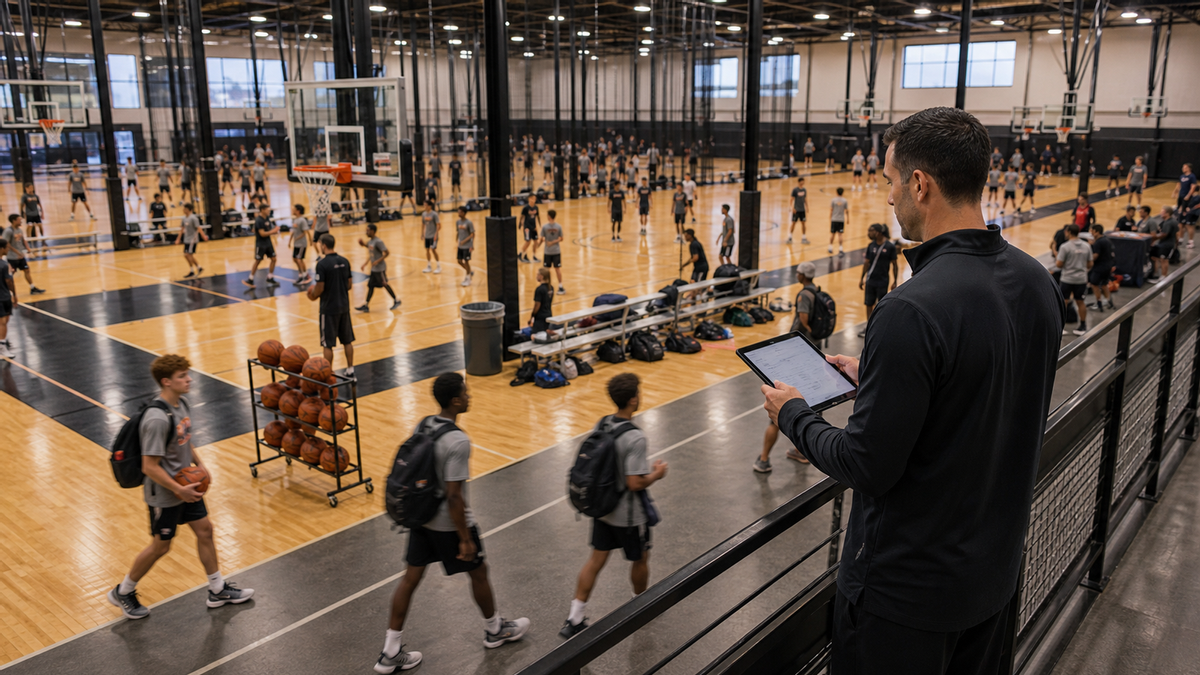
Facility owner reviewing a sports training schedule with courts, coaches, and Sessions
Guide

Sports Facility Scheduling Software: 7 Must-Haves (2026)

Compare scheduling software for fields, courts, cages, coaches, Sessions, and payments. Use this seven-point checklist to choose the right facility fit.

By CoachIQ August 7, 2026

Last updated: August 7, 2026

Quick answer: The right sports facility scheduling software depends on what you are reserving. A rental-first operation needs strong field, court, cage, and equipment rules. A coach-led training facility needs Athletes, coaches, Sessions, Credits, and payments connected to the calendar. If you run both models, test both workflows before you buy.

“Can it take bookings?” is too small a question for a facility owner.

Your real test is whether the system can handle a Saturday when two coaches run private Sessions, a team holds the same court every week, a clinic reaches capacity, and a parent buys Credits from a phone. A calendar can show those events. Sports facility scheduling software has to enforce the rules behind them.

That distinction matters because Google uses the same category for very different products. Some platforms are built around spaces and rentals. Others are built around Athletes and coaching. Neither workflow is automatically better, and many facilities need part of both.

This guide shows you how to identify your primary workflow, compare the seven features that matter, and run a realistic demo before you sign a contract.

Start with the workflow: space, coaching, or both

The fastest way to narrow the market is to ask what creates value when someone books.

Space-first scheduling

In a space-first operation, the field, court, cage, lane, room, or piece of equipment is the main inventory. The booking rules answer questions like:

  • Which resources are available at the same time?
  • Can a renter reserve two adjacent courts?
  • Does the rate change by day, duration, or customer type?
  • Can a league repeat the same reservation every Saturday?
  • What happens when a field closes or a tournament changes the schedule?

Platforms such as Upper Hand and EZFacility lead with facility resources, reservations, rentals, and related operations. That workflow can fit a municipal complex, a court-rental business, or a training facility where selling space is a major revenue line.

Coach–athlete scheduling

In a coach-led operation, the Session is the product. The booking needs to connect an Athlete, a coach, a Session type, a location, capacity, payment, and the ongoing training relationship.

The rules sound different:

  • Is this a private, small-group, team, or camp Session?
  • Which coaches can deliver it?
  • Does the Athlete pay directly or redeem Credits?
  • How many Athletes can book the same time?
  • Can the coach create a standing weekly booking?
  • Where do staff see the Athlete’s history and balance?

CoachIQ scheduling is organized around this coach–athlete workflow. It connects Schedulers, staff availability, Sessions, Credits, payments, and the Athlete Portal.

Hybrid scheduling

Many lease-owning facilities are hybrids. A baseball facility may sell cage rentals before noon, run private hitting Sessions after school, and hold team practices at night. A basketball facility may rent a court to outside teams while its own coaches run development groups.

Do not assume that a vendor’s “location” field is a complete resource system. Ask the vendor to configure one real hybrid day. If the software cannot protect the same court from overlapping rental and coaching workflows, staff will end up maintaining a second calendar.

The seven must-haves in sports facility scheduling software

1. Resource and coach conflict rules

Preventing double-booking requires more than a red block on a calendar. The system needs to know what cannot overlap.

For a rental workflow, that may include a full field, half fields, linked courts, cages, rooms, and equipment. For a coach-led workflow, it may include each coach’s availability, connected locations, Session capacity, and whether a coach is allowed to lead overlapping groups.

During a demo, create two Schedulers that use the same coach and location. Book the first at 4:00 p.m., then try to book the second at the same time. Repeat the test with two coaches sharing one court. A vendor should be able to explain exactly which conflict is prevented and which setting controls it.

2. Self-service booking with your rules

Athletes, parents, members, and renters should see only the times they are allowed to book. Look for:

  • Mobile-friendly booking
  • Advance-booking and future-booking windows
  • Blackout dates and seasonal availability
  • Buffer time between Sessions
  • Cancellation and rescheduling permissions
  • Public booking and member-only options
  • Clear confirmations and reminders

The important word is your. A booking page that ignores your cancellation window or lets someone reserve beyond the season creates more work than it removes.

3. Private Sessions, groups, teams, camps, and rentals

A facility calendar should not force every offering into the same event type.

A private Session may allow one Athlete. A small group may allow six. A camp may open registration across several dates. A team practice may be placed on the calendar by staff rather than booked one Athlete at a time. A rental may need a duration-based rate and no coach at all.

Ask how capacity works at both the Scheduler and individual time-slot level. Then ask what happens at capacity. If you need a waitlist, minimum enrollment, team roster, or linked resource, make the vendor show it. Similar labels can hide very different behavior.

4. Recurring bookings without calendar drift

Standing reservations are common in sports facilities. A team may hold Court 2 every Saturday. An Athlete may train with the same coach each Tuesday. A six-week Program may repeat at two times.

Check who can create the recurring booking, how exceptions work, and whether editing one occurrence changes the full series. Also test what happens when staff change availability after bookings already exist.

In CoachIQ, recurring bookings are created by a coach or staff member; Athletes self-book individual Sessions. Changing an availability template affects future open slots but does not automatically cancel existing bookings. Those details matter when you write your staff process.

5. Payments, Credits, packages, and cancellation policies

Scheduling and payment should agree on what the Athlete or renter bought.

Rental-first facilities may need hourly rates, deposits, invoices, memberships, or different prices by resource. Coach-led facilities often sell a one-time Session, a package of Credits, or a subscription that adds Credits on a schedule.

For each product, test the whole path:

  1. Buy or assign the product.
  2. Book an eligible Session.
  3. Confirm the payment or Credit is recorded.
  4. Cancel inside and outside the policy window.
  5. Confirm whether the Credit is returned or consumed.

CoachIQ supports payment-only, Credit-only, and hybrid Schedulers. Its Credit setup guide also makes an important point: the product and eligible Schedulers must be linked. That is the kind of configuration detail a live test should uncover.

6. One operating view for owners and staff

A facility owner needs oversight without turning every coach into an administrator.

Look for a central calendar with filters for coaches, Session types, and locations. Check permissions for front-desk staff, managers, and coaches. Confirm who can override a booking rule, issue a refund, change availability, or view Athlete and payment information.

For multi-coach operations, ask whether coaches have separate availability and whether a shared Scheduler can assign the first available qualified coach. The software should support the way you staff Sessions, not require every Athlete to know which coach is working that day.

7. A connected Athlete or member experience

The customer-facing experience continues after the booking confirmation.

Coach-led facilities should check whether Athletes can see upcoming Sessions, Credit balances, purchases, Programs, messages, and account details in one place. Rental-first facilities may care more about waivers, access instructions, reservation changes, membership status, and receipts.

The best test is on a phone. Ask someone who did not configure the system to find an opening, buy the correct option, book it, change it, and locate the confirmation. If they need an explanation at every step, your front desk will still carry the load.

How CoachIQ handles coach-led facility scheduling

CoachIQ separates scheduling into three layers:

  1. Availability defines when a coach can work.
  2. Schedulers define what Athletes can book, including duration, capacity, payment, booking windows, and cancellation rules.
  3. Sessions and bookings are the actual calendar events.

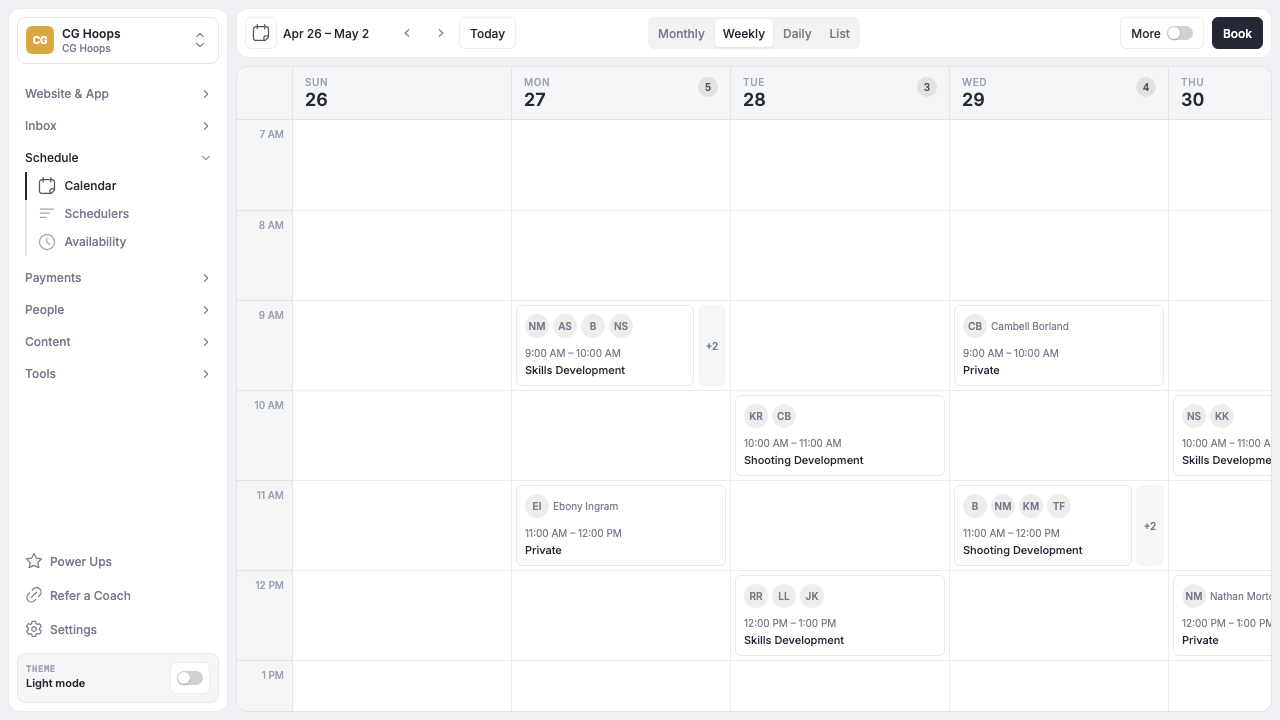
Facility owners can create separate or shared Schedulers, connect coaches and locations, set private or group capacity, configure reminders, and choose direct payment or Credits. Staff can also create recurring bookings for Athletes with standing training times. The CoachIQ scheduling overview documents the current setup and limitations.

CoachIQ shared scheduling calendar for coaches, training spaces, private Sessions, and groups
CoachIQ calendar showing coaches, locations, private Sessions, and groups.

The schedule also connects to the rest of a coaching business. Athletes can buy Credits through CoachIQ payments, book from the Athlete Portal, and stay connected to the same account staff use for Sessions and Programs. Facility owners can connect that booking path to a CoachIQ website instead of sending people through a separate appointment tool.

CoachIQ is strongest when coaching—not an empty court—is the product. If standalone rentals, permits, equipment inventory, or complex field subdivisions drive your operation, compare a resource-first system and test how it connects with your coaching workflow.

A 20-minute demo test for any scheduling platform

Bring one real day from your facility to the demo. Do not accept a tour of a prebuilt sample account.

Use this scenario:

  • Court 1 hosts a six-Athlete group at 4:00 p.m. with Coach A.
  • Court 2 hosts a private Session at 4:00 p.m. with Coach B.
  • Coach A also appears on a private Scheduler and must not be double-booked.
  • An outside team holds Court 1 every Saturday for six weeks.
  • One parent buys a package and books with Credits.
  • Another Athlete pays directly for a drop-in Session.
  • The group reaches capacity, then one Athlete cancels inside the policy window.

Ask the vendor to build, book, change, cancel, and report on that scenario. Score each step as native, possible with configuration, dependent on an integration, or not supported.

Test What a clear answer looks like
Coach conflict The vendor identifies the exact setting and shows the blocked booking.
Shared-space conflict The vendor shows how Court 1 is protected across every relevant booking type.
Recurring series Staff can create the series and edit an exception without losing the rest.
Capacity The booking closes at the configured number and explains what happens next.
Payment or Credit The purchase, booking, balance, cancellation, and refund records agree.
Mobile booking A first-time user completes the path without staff help.
Staff permissions Each role can see and change only what the facility intends.

That exercise tells you more than a 50-row feature comparison.

Questions to ask before you choose

What is sports facility scheduling software?

Sports facility scheduling software manages bookings for spaces, staff, Sessions, or some combination of the three. It can include online reservations, capacity, recurring bookings, payments, memberships, reminders, and reporting. The right feature set depends on whether your operation sells access to a resource, coaching, or both.

What is the best sports facility scheduling software?

There is no universal winner. Resource-first operations should prioritize court, field, cage, equipment, rental, and rate rules. Coach-led facilities should prioritize Athletes, coaches, Session types, Credits, payments, and Programs. Hybrid facilities should run a real overlap test before choosing.

Can one platform manage multiple sports?

Usually, if each sport can have its own Schedulers, durations, capacities, locations, coaches, booking rules, and payment options. Ask the vendor to configure two sports with different rules during the demo. A sport label alone does not prove the workflows are separate.

How does scheduling software prevent double-booking?

It blocks a booking when a connected coach, location, or resource is already committed. The quality of that protection depends on the data model and configuration. Test coach conflicts and shared-space conflicts separately because a system may handle one but not the other.

Should Athletes be able to book recurring Sessions themselves?

That is a business-policy decision. Staff-created recurring bookings give the facility more control over standing times and exceptions. Self-service recurrence offers convenience but can reserve future capacity quickly. Confirm who can create a series, how far it extends, and how cancellations work.

How much does sports facility scheduling software cost?

Pricing varies by platform, location count, staff, features, add-ons, and payment processing. Compare total operating cost, not just the subscription. Include required websites, mobile apps, messaging, payment fees, setup, and any separate rental or coaching system you would still need.

Choose the calendar that matches the business

Sports facility scheduling software should reflect what your staff and customers are actually booking. Start with the workflow, then test the conflicts, payment path, recurring rules, and mobile experience using a real day from your facility.

If your calendar revolves around Athletes training with coaches, compare CoachIQ with your current setup. You can book a free demo and bring the same seven-point test to the call.

POWERED BY

CoachIQ Logo