Private lessons
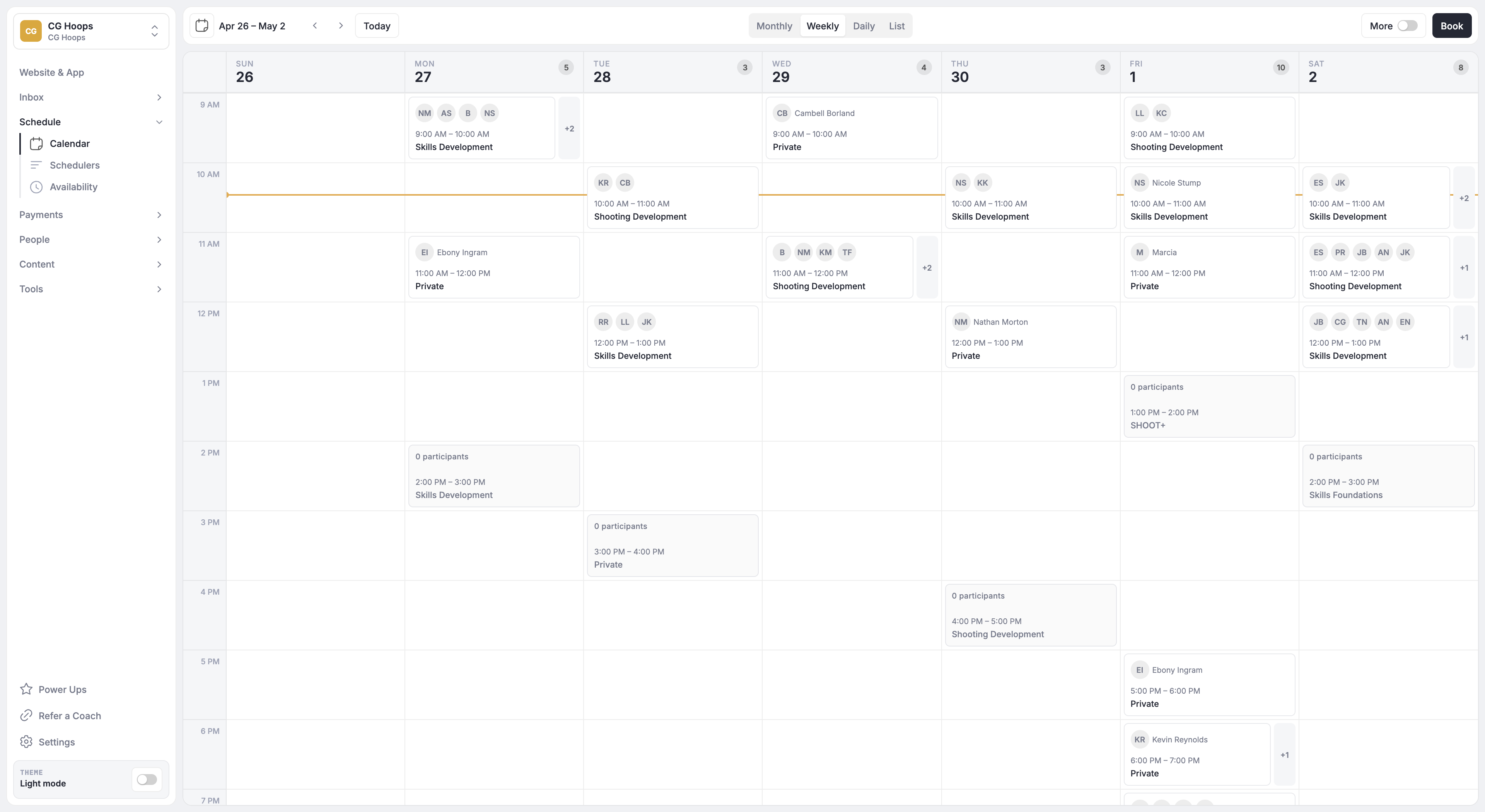
Let players reserve instruction at the times your coaches make available.
Explore SchedulingFor pickleball coaches and training facilities
CoachIQ connects pickleball lessons, coached clinics, training Credits, payments and player communication. Give players a way to book instruction while your staff manage the coaching schedule and the spaces each Session needs.
Trusted by 750+ sports coaches and training facilities.

Let players reserve instruction at the times your coaches make available.
Explore SchedulingSet the number of places for a coached group and connect booking to eligible purchases.
Explore schedulingOrganize drills and lesson videos into programs players can access in the Athlete Portal.
Explore Content & ProgramsCoachIQ supports attached resources and configurable reservation rules. Resource assignments are staff-facing; athletes do not choose a resource during booking. Review the resource setup documentation with your team.
Illustrative planning checklist: use your own schedule and confirm each result in a walkthrough.
| Offering | What needs to be available | What to check |
|---|---|---|
| Private lesson | One coach, one player and a court | Check both the coach and the attached court before offering the time. |
| Coached clinic | Several players sharing a court | Check that players join the group instead of consuming a court each. |
| Open play or league | Participation and competition rules | Demonstrate rotations, ratings and league requirements separately. |
Bring your real schedule
Bring a private lesson and a clinic that need the same coach or court. Include a player with a lesson pack and a new player paying for their first Session. Walk through who can book, how they pay and what happens when they cancel.
For court rentals, open-play rotations, leagues, ratings or access control, ask for a demonstration of your exact requirements. A lesson booking does not establish how those workflows operate.
Use the pickleball facility software guide to compare requirements and record what each vendor demonstrates.
Set up distinct Schedulers for the Sessions you offer, with availability, capacity and payment rules for each. Bring your shared-space and coach requirements to the demo so the setup can be checked against your schedule.
Yes. Athletes can use eligible Credits when booking a Session. You can restrict which Schedulers accept a product’s Credits and configure usage limits. See the Scheduler setup guide.
Build programs from lessons and videos for athletes to access in the Athlete Portal. Explore content and programs.
Show us your programs, purchase options and scheduling rules. See how CoachIQ fits the way you train.
Book a free demoPOWERED BY