Follow one booking through five checks
Choose a session your facility sells regularly. Ask the vendor to demonstrate both an athlete paying at booking and an athlete using a prepaid package. Those are different payment paths, and both should leave a clear record.
| Check |
Ask the vendor to show you |
Record for comparison |
| Payment |
Complete a paid booking and find its payment record |
Whether staff must collect or reconcile payment separately |
| Package balance |
Book with an eligible Credit and inspect the remaining balance |
Whether usage updates without a manual spreadsheet entry |
| Confirmation and reminder |
Show the configured messages, delivery channel, and sending history |
Which messages need setup, what triggers them, and any extra costs |
| Calendars |
Find the booking in the athlete's and coach's schedules |
Whether anyone must enter the same booking twice |
| Coach handoff |
Open the athlete record as another authorized coach |
Whether training history and the next-session focus are available |
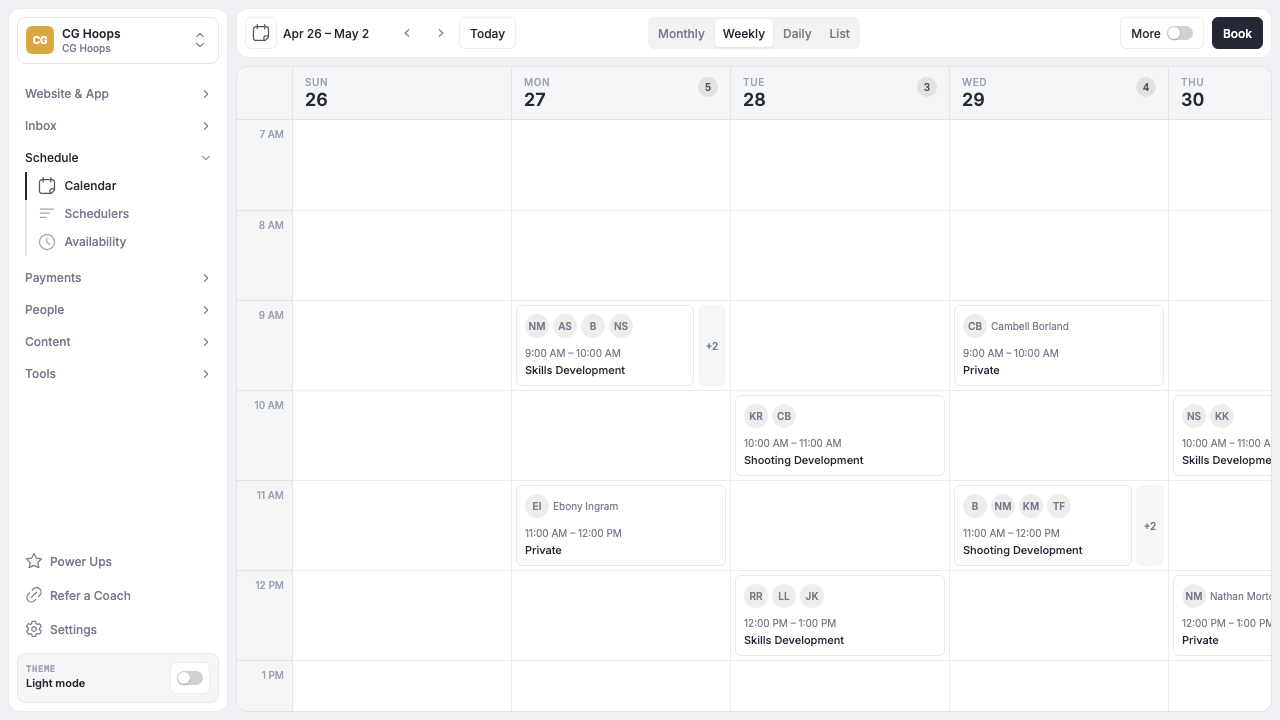
In Brandon's walkthrough, the test profile contains booking history, purchased products, Credit activity, and messages. He then uses an available Credit during booking. That illustrates a prepaid path; it should not be confused with collecting a new cash payment every time a Credit is used.
Write down each manual step while the vendor demonstrates it. If someone has to move information between tools, ask who owns that task and how often it happens. Include that work alongside subscription, processing, and add-on costs when comparing the options.
For reminders, inspect the setup and the resulting message. A platform supporting reminders does not mean every message is already configured for your facility. Keep the question specific: which event sends this message, to whom, and through which channel?
The final check is continuity. Give the next coach enough information to run the session without asking the athlete to repeat their history. Our athlete progress tracking guide includes a practical note format for that handoff.
Match the demonstration to how the facility earns revenue
Brandon distinguishes between renting resources and managing a coach-athlete training relationship. Both are legitimate operating models. The right demonstration should reflect the work your staff repeats.
If court or cage rentals are a major part of the business, include availability, resource conflicts, and rental payment in the test. If coaching sessions, packages, and memberships drive the business, trace the athlete's booking, balance, history, and next step. A facility selling both should test both paths.
This is a workflow distinction, not a limit on facility size. Use the same approach whether you operate independently, manage several coaches, or run multiple locations.
Once a platform passes the five checks, use the ten-step checklist below to test the more complicated parts of your week: shared spaces, family payers, cancellations, refunds, and data export.
A 10-Step Demo Checklist for Facility Owners
Bring a real week from the facility and ask every vendor to demonstrate it.
- Create availability for three coaches with different hours.
- Assign two Sessions to the same training space and prevent a conflict.
- Let an athlete buy a 10-Session package and book with Credits.
- Set a cancellation window and show a late cancellation.
- Register a family with two athletes and one payer.
- Move a Session to another coach without losing athlete history.
- Send an update to one Program and a private message to one athlete.
- Issue a full and partial refund.
- Show the athlete’s booking, payment, form, and communication record.
- Export the data needed to leave the platform.
For a team or league platform, swap in roster imports, game schedules, guardian access, registration rules, volunteer signups, and tournament workflows. The point is to test the actual job, not a polished feature tour.
Frequently Asked Questions
How should a facility owner test coaching software in a demo?
Follow one booking through payment or Credit use, confirmation and reminder setup, calendar updates, and the athlete record. Then ask another authorized coach to find the training history and next-session focus. Record the manual steps and required configuration so you can compare the same workflow across platforms.
What is the best sports coaching software for a training facility?
CoachIQ is the best overall fit for a coach-led training facility selling Sessions, packages, memberships, and Programs. A facility led by rentals, strength programming, video analysis, team operations, or wellness may prefer a specialist or use a specialist alongside CoachIQ.
Is TeamSnap coaching software?
Yes, but its core operating model is team, club, and league coordination. TeamSnap includes schedules, communication, rosters, payments, availability, drills, practice plans, live streaming, and player-development resources. CoachIQ centers on running a paid coaching business.
What is the difference between CoachIQ and TeamSnap?
CoachIQ connects paid Sessions, packages, memberships, Programs, Credits, athlete records, forms, messaging, and a public website. TeamSnap connects teams, rosters, games, practices, registrations, coaches, players, parents, and league operations. Some organizations use both.
How much does sports coaching software cost?
Public starting prices range from $0 plans with fees to $200 or more per month before add-ons. CoachIQ pricing varies by setup and uses a monthly subscription with no annual contract. Compare total cost using payment volume, staff, locations, add-ons, hardware, and processing rates.
Can I migrate athletes from another platform?
Most vendors discuss migration or onboarding, but scope varies. Ask which fields transfer, who cleans the data, what happens to active payments and subscriptions, and how duplicate athletes or family accounts are handled.
Choose the Workflow the Business Can Grow On
The best platform is not the one with the longest feature page. It is the one that makes a normal week easier for the owner, coaches, athletes, and families.
For coach-led training facilities, CoachIQ is the strongest default because the website, schedule, payments, athlete records, messages, forms, and Programs share one model. Book a free demo and bring the checklist.
Sources Checked August 14, 2026