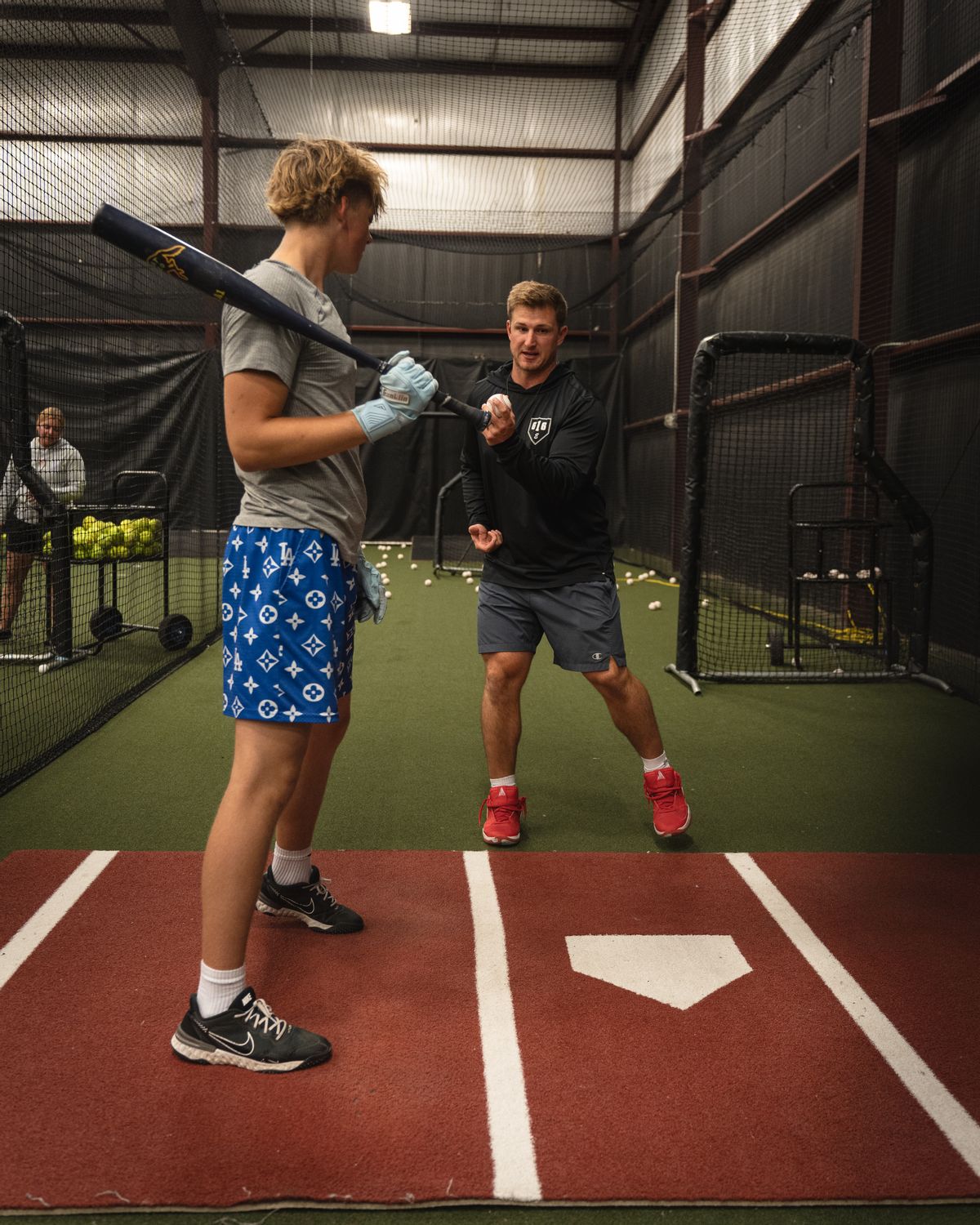
For a baseball facility built around instruction and ongoing player development, CoachIQ is our recommended starting point. Compare Swift, Upper Hand, EZFacility, eSoft Planner, and Baseline against the way you sell lessons, cage time, memberships, camps, and team practice.
A calendar can look open while the facility is full. A team takes two cages. A pitching coach needs the bullpen. A hitting membership allows practice time but does not include private instruction. Your software needs to keep those promises straight, from the first purchase to the next booking.
This guide compares six platforms and gives you a baseball-specific test to run before signing.
Published by CoachIQ, a vendor included in this comparison. We reviewed public product pages and documentation on October 26, 2026. We have not conducted hands-on testing of all six platforms. The recommendations are editorial judgments about workflow fit; confirm features, plan inclusions, and fees in your demonstration and proposal.
Baseball facility software at a glance
Swipe sideways to compare all columns →
| Platform | Put it on your shortlist for | Pricing context | Your first demo question |
|---|---|---|---|
| CoachIQ | Coaching, memberships, athlete communication, and training between visits | Varies; confirm your package and payment fees | Can an athlete buy the right training, book eligible Sessions, and stay connected to their coaches? |
| Swift | Online lesson and rental bookings with memberships and staff tools | Request current subscription and add-on pricing | How does a whole-space rental block the cages inside it? |
| Upper Hand | Programs, facility resources, retail, and staff administration | Start $79/month; Grow $199/month, paid annually. Resource management is listed in Grow. | Which plan covers our actual spaces and staff workflow? |
| EZFacility | Cages and fields alongside leagues, rentals, and front-desk operations | Request a quote for your configuration | Can team reservations, lessons, and league activity share availability rules? |
| eSoft Planner | A modular mix of lessons, rentals, camps, packages, and memberships | Starts at $39/month; modules and setup/training affect the total | Which modules does our complete baseball operation require? |
| Baseline | Cage scheduling, team activity, memberships, and athlete records | Advertises a $0/month starting option; confirm all fees and paid packages | What will our payment volume and required features cost together? |
These are different commercial offers, not equivalent quotes. Sources and caveats appear below. “Not verified” should prompt a demonstration, not an assumption that a feature is missing.
Start with the space you sell and the training you deliver
List your bookable spaces before you list software features. A bullpen is not interchangeable with a hitting tunnel. A team rental may occupy the same footprint as several individual bookings. A cage with a particular machine may need its own price and availability.
Then map your offers to those spaces:
- Private instruction: the correct coach, suitable cage or mound, and an eligible purchase.
- Practice memberships: permitted booking windows, visit allowances, and clear limits on included services.
- Team rentals: recurring blocks, the spaces reserved, and the person responsible for payment.
- Offseason groups: capacity, coach coverage, attendance, and the transition into the next program.
- Camps and clinics: dates, age groups, registration details, payment, and cancellation rules.
A facility can offer all five. Choose your essential workflows before a salesperson shows you the most impressive screen. For a deeper look at lesson packs and coach calendars, use our baseball lesson scheduling guide. This comparison covers the wider facility decision.
Six baseball facility software options to compare
1. CoachIQ: Our pick for coach-led baseball facilities
CoachIQ connects the Session and purchase to the athlete relationship. Its baseball software page covers private training, groups, and development content in one coaching business.
The scheduling documentation explains how resources attach to Schedulers. “Use first available” reserves one available resource; “Reserve all” reserves the full attached set. Keep resource double booking off when a cage must be exclusive. Families do not select the assigned cage.
Test this: use separate hitting and pitching offers, then add a reservation that needs both hitting cages. Demonstrate coach availability, eligible Credits, and the athlete’s next booking. Have staff show recurring bookings; those are coach-initiated rather than athlete self-served.
Pricing: Varies. Confirm your facility setup, optional services, and transaction fees on the CoachIQ pricing page.
2. Swift: Lesson and rental booking in the same operation
Swift advertises booking, payments, memberships, packages, retail, and staff management. Its facility-settings guide describes rooms, room hierarchy, rental schedules, closure overrides, and permissions.
Test this: model your actual floor plan. Reserve a combined space, then try to book a cage within it. Check what happens when a coach becomes unavailable or a member books at a discounted rate. Ask for the configured behavior rather than assuming every relationship between rooms is automatic.
Pricing: Request current base-plan, payment, and optional-service costs. We did not verify a current public base subscription amount. Include any branded app or access-control requirement in the quote.
For a closer look at the coaching workflow, see CoachIQ vs. Swift.
3. Upper Hand: Programs plus resources and staff operations
Upper Hand’s plans include scheduling and registration, with facility/resource management, retail, and staff/payroll tools listed in Grow.
Test this: book a pitching lesson, a team rental, and a camp on the same afternoon. Follow the resource reservation, staff assignment, purchase, and report. Compare how resource-and-program administration connects to the athlete’s training history; facility size alone does not settle that decision.
Pricing: Start is $79/month and Grow is $199/month, with the monthly cost paid annually. Scale requires a quote. WebKIT and Advanced Insights are listed as optional $50/month enhancements each. Price the plan and enhancements you would actually use.
Our Upper Hand comparison provides another set of workflow questions.
4. EZFacility: Rentals, leagues, and facility administration
EZFacility’s baseball offering describes cage and field scheduling, lessons, league scheduling, recurring payments, registration, and check-in. It is worth evaluating when your facility’s day includes both instruction and substantial team, field, or front-desk activity.
Test this: schedule a recurring team block and a private lesson, then change one practice date. Check the affected spaces, participant communications, and invoice. If you operate leagues, demonstrate your actual scheduling constraints alongside the training calendar.
Pricing: Its pricing page asks visitors to request packages and pricing. Get a configuration-specific quote, including onboarding and required integrations.
See CoachIQ vs. EZFacility for a closer comparison of the rental/resource and coach-athlete workflows.
5. eSoft Planner: Select modules around your offers
eSoft Planner’s baseball page describes lessons, cage bookings, camps, packages, memberships, retail, and team management. Its modular approach makes the scope of your quote especially important.
Test this: build an offseason hitting group, a lesson pack, and a recurring team rental. Ask which modules each step requires, who can change a reservation, and how your front desk checks remaining purchases and attendance.
Pricing: The published starting price is $39/month. Its pricing FAQ describes monthly, à-la-carte billing and a one-time setup/training fee. Get one written total for the modules you need, payment processing, and implementation.
6. Baseline: Cages, teams, and development records
Baseline’s baseball page describes cage-specific booking rules, lessons, team practice blocks, memberships, camps, and logging athlete metrics.
Test this: book a cage membership visit and a separate paid lesson for the same athlete. Then record a training result and show what the parent can access. If you use hitting or pitching technology, verify whether the data is entered manually or imported through a supported integration.
Pricing: The current homepage advertises a $0/month starting option. Detailed fees were inconsistent between indexed and freshly fetched pages during our review. Request the current setup, processing, subscription, and commitment terms in writing. A zero monthly subscription does not establish a zero total cost.
Put every finalist through one busy winter evening
The following is an original, hypothetical demo worksheet, not a customer schedule or a report of tested results.
Assume two hitting cages that can be combined for team practice, one separate bullpen, two coaches, and a six-athlete hitting group. A practice membership includes cage time but excludes private instruction. Ask each vendor to build these rules before running the sequence.
Swipe sideways to compare all columns →
| Step | Ask the vendor to demonstrate | Record before moving on |
|---|---|---|
| 1. Two simultaneous lessons | Book both coaches into separate hitting cages at 4 p.m. | Coach and space assignments; whether a third overlapping lesson is blocked |
| 2. Whole-space team rental | Reserve both hitting cages from 5–6 p.m.; attempt a single-cage booking inside that hour | Whether both spaces become unavailable; any manual blocking required |
| 3. Pitching at the same time | Add a bullpen lesson during the team rental, first with an available coach and then an occupied coach | Whether coach and space constraints are evaluated separately |
| 4. Membership boundaries | Use the practice membership for cage time, then try to use it for private instruction | Eligible services, allowance changes, and what the family sees |
| 5. A full group | Register six athletes, then attempt a seventh | Capacity enforcement and any waitlist process |
| 6. One practice moves | Move one date in a recurring team series | What happens to other dates, the invoice, and notifications |
| 7. An athlete cancels | Cancel one lesson and separately demonstrate returning a credit and refunding money | Which rules apply; balances and transaction records afterward |
| 8. Next month begins | Show membership renewal and booking benefits; demonstrate how staff identify a failed payment | Benefit timing, account status, and the staff follow-up process |
Mark each row Demonstrated, Workaround, or Unresolved. Record the plan, settings, and manual steps. A promised feature belongs under Unresolved until you see the workflow you need.
Some facilities will weight team practice blocks more heavily; others will prioritize development memberships. Identify your deal-breakers first. Avoid averaging a failed essential requirement into an otherwise attractive score.
For broader requirements, keep our sports facility scheduling checklist beside this worksheet.
Compare the full bill, including small transactions
Ask each finalist for the same inputs: number of locations, staff, services, payment volume, and transaction count. Separate the subscription from setup, processing, hardware, messaging, websites, and other required services.
Use this budget structure:
First-year cost = 12 × monthly software and add-ons + one-time setup/migration + annual transaction charges + other required annual costs.
To see why transaction count matters, consider an illustrative fee of 3% + $0.30, not a quote from any vendor in this guide. On $10,000 collected in one month:
Swipe sideways to compare all columns →
| Same payment volume | Percentage charge | Fixed charges | Total transaction charges |
|---|---|---|---|
| 100 payments of $100 | $300 | $30 | $330 |
| 400 payments of $25 | $300 | $120 | $420 |
The volume is identical; the transaction count adds $90. This example excludes taxes, refunds, disputes, and other charges. Use each vendor’s actual rate and your own payment mix, separating card and ACH terms where applicable.
CoachIQ’s payments page explains its payment and Credit workflows. Use your proposal for the complete quote. A platform with a higher subscription can be worth it if it fits the business better, but do not assume savings without doing the arithmetic.
Keep player development connected without assuming hardware integrations
A facility may use hitting or pitching technology alongside its business software. Ask where results live, who enters them, whether athletes can access them, and what the next coach can see. Video feedback, manually recorded metrics, and automatic hardware imports are different capabilities.
CoachIQ’s Content & Programs supports training material and video feedback between visits. Demonstrate that experience alongside booking; confirm any specific external-device integration separately.
The published Elite Baseball & Softball Training story describes a move from lesson packs toward development memberships. It offers a useful business-model example, not proof that a particular software configuration will produce the same results for your facility.
Make the move before your next registration rush
Request a written migration checklist covering athlete and family records, unused Credits, memberships, future lessons, team reservations, signed forms, and payment history. Identify what can be imported and what must be rebuilt. Verify payment-method portability separately.
Choose representative accounts to reconcile: a family with two athletes, a partly used lesson pack, an active membership, and a team with future bookings. Compare balances and dates before opening the new system to everyone. Assign staff ownership for corrections and pick a clear cutover date.
If baseball and softball share your building, also review our softball facility software comparison. Keep both sports in the same resource-conflict test rather than testing their calendars in isolation.
Questions baseball facility owners ask
What is the best software for a baseball training facility?
Our starting recommendation for a coach-led facility is CoachIQ. Shortlist other platforms based on your mix of lessons, rentals, memberships, and team activity, then run the same demo worksheet. The deciding evidence is your configured workflow and written quote.
Is batting cage booking software enough?
It may cover an operation focused on rentals. A training facility also needs to evaluate coach availability, lesson eligibility, family accounts, recurring purchases, and athlete communication. Check the entire purchase-to-training process.
Can one system manage both teams and private lessons?
Several vendors in this guide describe both team and lesson workflows. Demonstrate the overlap: a team block must reserve the same physical space that individual lessons use, and each purchase needs the right payment and access rules.
Should we replace our existing baseball lesson-scheduling system?
Start with the recurring problem you need to solve. Use the narrower lesson-scheduling guide for booking requirements, then this facility comparison for memberships, rentals, season changes, and the full operating cost. Keep a working system unless the benefits of changing justify the migration work.
Test CoachIQ with your facility’s schedule
Bring your cage layout, a lesson pack, a practice membership, and a team rental. We can walk through your setup and identify the package and configuration your baseball facility needs.
