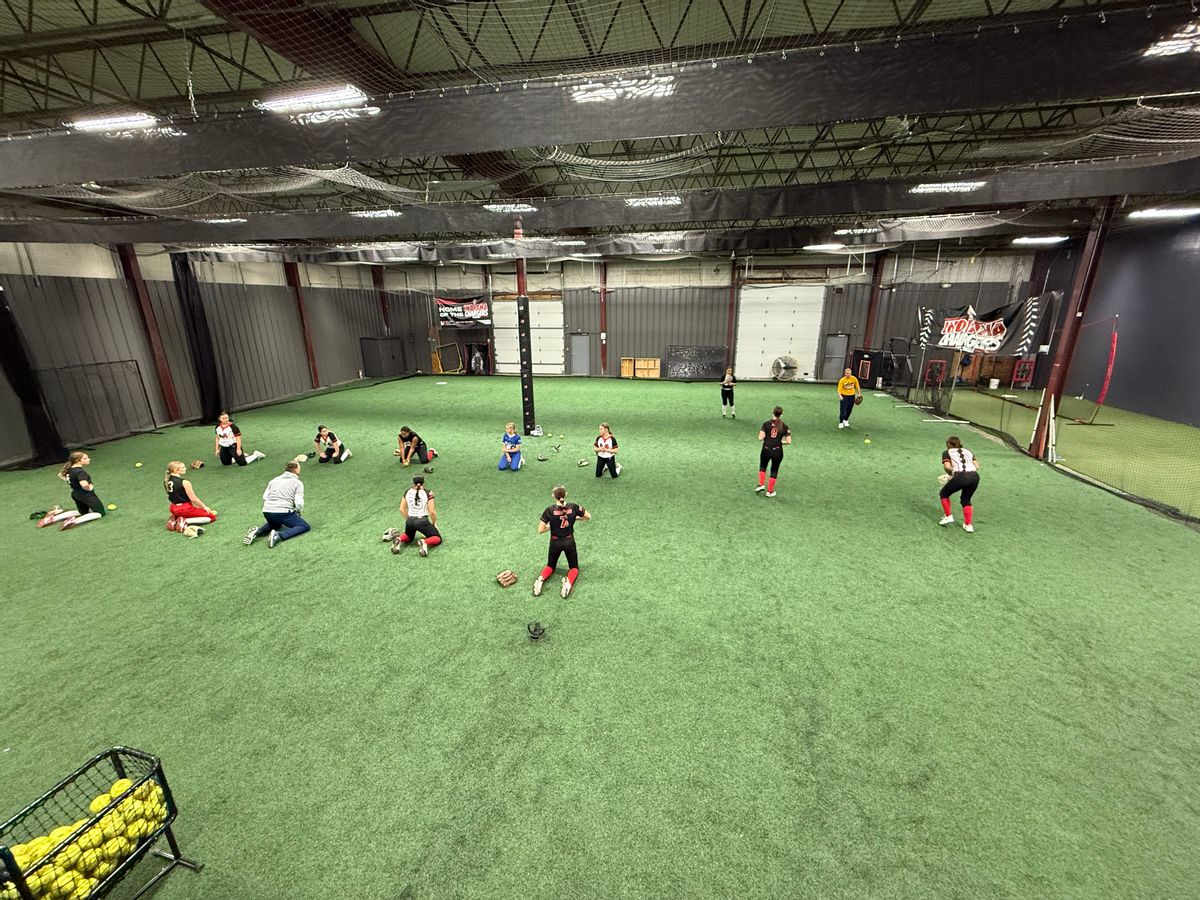
Softball athletes training on indoor turf beneath practice netting at Mad Apple Softball
Guide

Best Softball Facility Software: 6 Options Compared

Compare six platforms for lessons, cage rentals, memberships, and payments—with a softball-specific checklist for your next demo.

By CoachIQ October 26, 2026

For a softball facility built around hitting lessons, pitching instruction, and development memberships, CoachIQ is our recommended starting point. It connects booking, payments, training content, and athlete relationships. Compare Swift, Upper Hand, eSoft Planner, EZFacility, and The Futures App against your mix of instruction, cage rentals, clinics, and team programs.

The useful question is what happens when those offers overlap. Can a family use the right lesson credits? Can two coaches share the available cages? Can staff change a booking without losing track of the payment?

This guide gives you a shortlist and a softball-specific exercise to take into each demo.

Published by CoachIQ, a vendor included in this comparison. Recommendations reflect our assessment of workflow fit for coach-led training facilities. We reviewed public product pages and documentation on October 26, 2026; we did not conduct hands-on testing of every platform. Confirm the features, configuration, and fees in your proposal.

Softball facility software at a glance

Swipe sideways to compare all columns →

PlatformWorkflow to evaluate it forPricing contextKey demo question
CoachIQLessons, memberships, training content, and ongoing athlete relationshipsVaries; monthly subscription, no annual contract. Confirm package inclusions and transaction fees.Can our coaches, spaces, eligible Credits, and family booking arrangements work together?
SwiftLessons and cage rentals with online booking, memberships, and facility administrationRequest current subscription, processing, and add-on pricing; a public base price was not verified.How do overlapping cage rentals, lessons, and membership benefits behave?
Upper HandPrograms combined with resource scheduling, retail, and staff administrationStart: $79/month; Grow: $199/month, paid annually. Facility/resource management is listed in Grow.Which plan covers our spaces, staff processes, and required reports?
eSoft PlannerA modular combination of lessons, rentals, camps, memberships, and team operationsStarts at $39/month; required modules and a one-time setup/training fee affect the quote.What is the complete cost of our chosen modules and setup?
EZFacilityCage and field reservations alongside leagues, memberships, and front-desk operationsRequest pricing for the required configuration.How do coaching bookings interact with rentals, check-in, and league operations?
The Futures AppTeam and club administration combined with development tools and facility bookingRequest current pricing; a subscription amount was not visible in the pricing-page text reviewed.How do team dues, development work, and paid facility bookings connect?

Official sources and specific questions follow in each platform section. These are workflow recommendations, not test scores or equivalent-price quotes.

Start with the way your softball facility earns revenue

Write down your three main offers before you compare software. “Softball software” could mean a system for team registration, a cage-rental calendar, or the business platform behind year-round instruction.

Swipe sideways to compare all columns →

Your offerWhat the software needs to account for
Private hitting or pitching lessonsCoach specialty and availability, suitable space, duration, payment, and athlete history
Small-group development membershipsEnrollment limits, recurring billing, eligible bookings, and training between sessions
Cage or turf rentalsResource availability, rental duration, recurring reservations, and shared-space rules
Camps and clinicsAge or skill-group eligibility, capacity, intake, payment, and family communication
Travel teams using the facilityTeam obligations, practice time, individual instruction, and separate purchasing paths

A facility may need every row. The priority is the work your staff repeats most often. A multi-location academy can still center its business on coach-athlete relationships; size alone does not determine software fit.

For a broader operational checklist, see our guide to sports facility scheduling software.

Six platforms to put through your facility’s demo

1. CoachIQ: Our pick for coach-led softball facilities

CoachIQ connects private and group booking with payments, athlete communication, and training content. Its softball software page shows how those pieces support hitting, pitching, and ongoing development.

The practical difference to evaluate is continuity: an athlete buys a package or membership, books eligible training, and returns to the same platform for the next session or program.

CoachIQ’s scheduling documentation describes coach availability and resources attached to Schedulers. “Use first available” reserves one available resource from the attached options; “Reserve all” reserves the full set. Resource double booking must be off when a cage needs exclusive use. Families do not choose the assigned cage.

Check in your demo: Configure your hitting cages and pitching areas, then book overlapping lessons. Test your cancellation settings and verify the resulting Credits. Returning a Credit and refunding a card payment are separate actions. Recurring bookings are staff-initiated, so demonstrate how your front desk sets up a weekly lesson series.

For training between visits, Content & Programs supports lessons, videos, athlete uploads, and video feedback. Ask to see the athlete’s experience alongside the staff view.

Pricing: Varies; monthly subscription, no annual contract. Use the CoachIQ pricing page to discuss your facility package, optional services, and transaction fees.

2. Swift: Lessons, rentals, and membership booking

Swift advertises online booking, payments, memberships, packages, retail, and staff tools for sports facilities. Its settings documentation describes physical rooms, rental schedules, closure dates, waivers, and staff permissions.

That makes it a relevant comparison when your softball business sells both instruction and time in cages or training areas.

Check in your demo: Reserve two adjacent cages for a team, then try to book a private hitting lesson into either cage. Follow with a membership purchase and a discounted rental. Have staff show what changes when you close one area for maintenance.

Pricing: Request a current quote covering the subscription, processing, migration scope, and any app or access-control add-ons. We did not verify a public base subscription price.

3. Upper Hand: Programs and facility resources

Upper Hand’s published plans combine scheduling and registration with facility administration. Grow lists facility/resource management, retail and inventory, and staff/payroll tools.

The useful comparison with CoachIQ is how resource-and-program administration connects to the athlete’s training journey. Both perspectives can matter at the same facility.

Check in your demo: Schedule a pitching lesson that requires a specific coach and training area. Add a clinic and a cage rental at the same time. Ask staff to show the calendar, transaction record, and athlete information without relying on a separate spreadsheet.

Pricing: Start is $79/month and Grow is $199/month, with the monthly cost paid annually. WebKIT is an optional $50/month enhancement. Use the plan that includes your required facility features when comparing quotes.

4. eSoft Planner: Choose modules around your operation

eSoft Planner’s softball offering covers lessons, rentals, camps, packages, memberships, retail, and team administration. It describes booking restrictions tied to instructors and locations, plus rentals of cages, fields, and pitching tunnels.

Check in your demo: Build your actual mix of lesson packs, a pitching clinic, recurring membership benefits, and rentals. Ask which modules each step needs. Have the vendor show how a membership discount and a prepaid package affect the same booking.

Pricing: Its pricing page lists a $39/month starting price and an à-la-carte structure. It also identifies a one-time setup and training fee. Get a complete configuration quote before treating the headline price as your facility’s cost.

5. EZFacility: Resources, leagues, and front-desk operations

EZFacility’s batting-cage and facility page describes cage and field scheduling, coaching bookings, registration, payments, check-in, and point of sale. Its wider product also includes league management.

Those capabilities are relevant when your operation combines instruction with substantial rental, league, or front-desk work.

Check in your demo: Put a private lesson, a recurring team reservation, and a retail purchase through the system. Check how staff distinguish athlete training purchases from resource rentals, and which reports answer your owner-level questions.

Pricing: The plans and pricing page asks visitors to request details. Confirm required modules, locations, onboarding, and payment fees. For a closer workflow comparison, see CoachIQ vs. EZFacility.

6. The Futures App: Teams, development, and facility bookings

The Futures App advertises player video and development tools, team communication, registration, memberships, and booking for lessons and rentals. Its registration help guide describes fixed-price registrations and installment options.

It belongs on the shortlist when travel teams and club programs share your facility with individual instruction.

Check in your demo: Use one athlete who pays team dues, books an extra pitching lesson, and receives video feedback. Verify how staff distinguish the purchases and how each affects access to training or space. Then test a family that only buys lessons.

Pricing: Request current subscription and processing terms. The pricing page did not expose a subscription amount in the text we reviewed.

Bring this softball facility test to every demo

Use the same sample operation for each vendor. The following is a hypothetical evaluation exercise, not a report of tested product behavior or a customer result.

Assume you run two hitting cages and a separate pitching area. Two coaches offer private lessons. You also sell a six-athlete hitting group, a four-lesson pitching pack, a monthly development membership, and occasional team rentals. One family has two athletes.

Mark each test Demonstrated, Workaround required, or Unresolved. Record the plan and settings used. An answer from a salesperson is useful; seeing the configured workflow is stronger evidence.

Swipe sideways to compare all columns →

TestAsk the vendor to do thisWhat to record
Coach and cage conflictBook two hitting lessons at the same time with different coaches and cages. Attempt another booking when no suitable resource remains.Whether availability follows both people and space; any override settings
Pitching eligibilityBuy the pitching pack and try to use it for hitting instruction.Which services accept the balance and how staff change eligibility
Shared-space rentalReserve both hitting cages for a team and attempt an individual booking during that reservation.Whether both spaces become unavailable; manual steps needed
Group capacityFill the six-athlete group and attempt a seventh registration.How the limit is enforced and what the family sees
Two athletes, one payerBook each sibling into a different program and inspect their purchases and balances.Who pays, who receives eligibility, and whether balances stay separate
Cancellation and moneyCancel one athlete’s booking, then separately demonstrate returning a credit and refunding a payment.The rule applied, account changes, and notifications
Membership renewalDemonstrate a renewal and the configured booking benefits; show how staff identify a failed payment.Benefit timing and the process for resolving a payment problem
Continuing developmentDeliver a pitching drill, collect a video if supported, and show the next coach what they can access.Athlete experience, staff permissions, and any separate tools required

Choose the tests that are essential to your business before the demo. An unresolved requirement that affects most bookings deserves more attention than an extra feature you rarely use.

For a narrower lesson-booking walkthrough, our baseball lesson scheduling guide also explains shared-cage and package questions relevant to combined baseball/softball facilities.

Compare the full cost and the switching work

Ask every vendor to price the same services, staff, locations, and payment volume. Include:

  • The subscription or required modules, with monthly versus annual commitment spelled out.
  • Setup, onboarding, data migration, and any hardware.
  • Processing and platform fees, including fixed fees per transaction.
  • Optional website, branded app, messaging, reporting, or access-control services.
  • Any tools you would still need to pay for separately.

For a simple first-year budget, add 12 months of recurring charges + one-time costs + estimated transaction charges. If a quote includes both a percentage and a fixed transaction fee, calculate each part using your own payment volume and transaction count. Do not apply one advertised card rate to every payment method.

CoachIQ’s payments page explains packages, subscriptions, and its payment fees. Include those fees in the comparison alongside competing vendors’ charges.

Before switching, ask for a written migration scope covering athlete and family accounts, active memberships, unused credits, future bookings, signed forms, and payment history. Confirm which items transfer and which need rebuilding. Stored payment methods require explicit verification; do not assume they move with an athlete spreadsheet.

Reconcile sample balances and upcoming bookings before opening the new system to every family. Keep a clear cutover date so staff know which system owns new purchases.

Look for a business model you recognize

The Mad Apple Softball customer story shows a business combining travel teams, instruction, clinics, and facility access. Elite Baseball & Softball Training combines assessments, memberships, team programs, and facility options.

These published examples illustrate the range of offers a softball operation may need to connect. They do not establish that every configuration fits every facility or prove a particular revenue outcome. Bring your own services and booking rules to the evaluation.

Questions softball facility owners ask

What is the best software for a softball training facility?

For a coach-led facility, our starting recommendation is CoachIQ because it connects the session, purchase, and athlete relationship. Your final choice should pass the booking, payment, space, and family-account tests that matter to your operation. Use the comparison above to select other vendors for the same demonstration.

Is softball team management software enough for a facility?

Check beyond rosters and team messages. A facility may also need coach availability, cage reservations, lesson packs, recurring memberships, and individual purchases. Some platforms cover both. Have the vendor demonstrate the full purchase-to-training path.

Can one system handle both lessons and cage rentals?

Several platforms in this guide advertise both coaching and facility-booking capabilities. The important detail is how they interact: a team reservation must respect the same physical space used by lessons. Test overlapping bookings and your override rules before choosing.

Do we need separate systems for baseball and softball?

Evaluate whether one platform can distinguish your programs, coach specialties, training areas, and eligible purchases. Separate sport labels are less useful than clear rules about what each athlete can book and which resources each session needs.

If baseball shares your cages and staff, use our baseball facility software guide to test a combined-space team rental and a separate bullpen lesson against the same calendar.

Test CoachIQ with your softball schedule

Bring a pitching package, a hitting group, a membership, and a busy afternoon from your calendar. We can walk through the setup and identify the package and configuration your facility needs.

Book a free demo.

POWERED BY

CoachIQ Logo